KinSignal
Simple wellbeing check-ins, trusted contact alerts, and private emergency notes for the people who matter.
KinSignal helps families stay informed when a scheduled check-in is missed. Private note plaintext stays local by default; only selected text notes are encrypted on-device if you explicitly prepare them under your release settings.
Family wellbeing reassurance, without fear-based promises
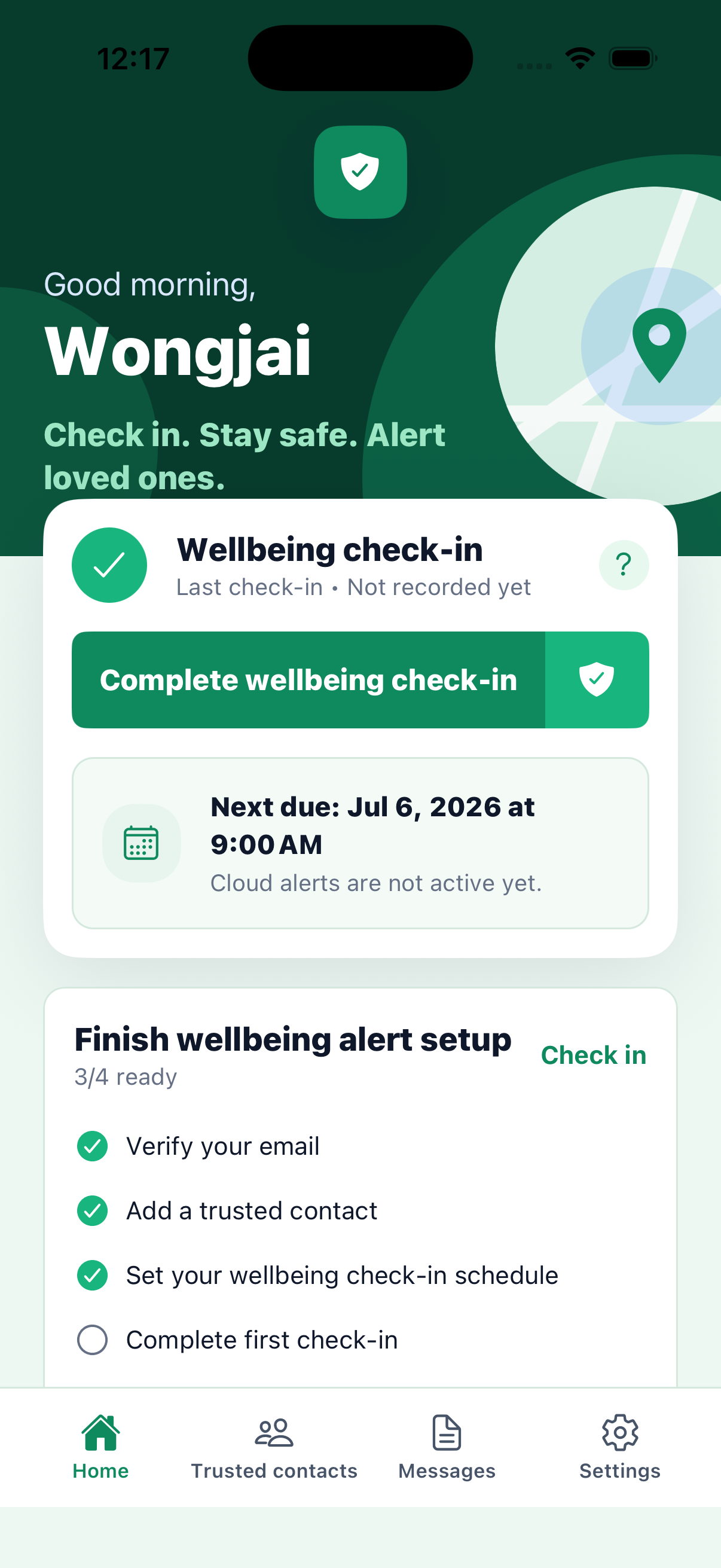
KinSignal is designed for simple family wellbeing reassurance. Set a check-in schedule, add trusted contacts, and choose what should happen if a check-in is missed. For sensitive information, selected private text notes can be prepared for encrypted release only under your chosen release settings.
Everything starts with your settings
Wellbeing Check-ins
A successful check-in records completion and starts or resets the schedule. Local reminders require device notification permission.
Trusted Contacts
Invite trusted contacts by email link or QR code. Contacts can accept invitations and create their own KinSignal account.
Missed Check-in Alerts
Cloud alerts start only after the first successful check-in and required cloud setup. Their timing is separate from local reminders, and checks run approximately every 15 minutes.
Private Emergency Notes
Store selected private instructions securely. Notes are local-first and encrypted on your device.
Private Note Release
Opt in by selecting a text note and its recipients. KinSignal encrypts a separate package on-device for each recipient; attachments and file metadata remain local-only, and the backend stores ciphertext only.
Safe Delayed Release
Preparing a package does not release it with the first alert. Eligibility uses the later policy time; acknowledgement does not itself release a note, and packages are checked hourly.
Set your check-in schedule
Choose the rhythm that suits your daily life.
Add trusted contacts
Invite the people who should receive supported missed check-in alerts.
Missed check-in alerts are sent
If your configured missed-check-in timing is reached, selected contacts can be alerted.
Optional encrypted private note release follows your release settings
Selected packages only become available when your release policy conditions are satisfied.
Private notes are not shared by default
KinSignal keeps private information separate from routine alerts. Local reminders, email alerts, and push notifications never include private note content or attachments.
Privacy & Security- Private notes are not shared by default
- Backend stores encrypted release packages only
- Plaintext titles and bodies, attachment metadata, vault keys, and recipient private keys stay off the backend
- Local reminders, email alerts, and push notifications never include private note content or attachments
- Trusted contacts do not see private notes unless selected text notes are released to them
- Private keys stay on device
Start with the right level of support
Free
Core check-ins, limited trusted contacts, and email-based alerts.
Advanced
More trusted contacts, supported app notifications for eligible accepted contacts, and opt-in encrypted Private Note Release for individual owners.
Do trusted contacts see private notes by default?
No. Private notes are not shared by default.
When are trusted contacts alerted?
Alerts can be sent after a scheduled check-in is missed beyond your configured timing.
Does a missed check-in release notes immediately?
No. Preparing a package does not release it with the first alert. The later policy time, any per-recipient acknowledgement requirement, and the hourly release check still apply.
Can KinSignal guarantee delivery?
No. Delivery may be delayed or unavailable because of device, network, email, push notification, or account conditions.